QuickCoach Shutdown: Best Alternatives for 2025
By Sammy High, Certified Personal Trainer & Founder of FitPros.io
QuickCoach has shut down. Discover the best QuickCoach alternatives for personal trainers in 2025. Compare free and paid options to seamlessly migrate.

QuickCoach shut down, and a lot of trainers are now figuring out where to go next. If you built your business around QuickCoach, the timing probably sucks, but you’ve got options.
This guide covers what made QuickCoach worth using, compares the alternatives, and explains why FitPros makes sense as a replacement.
What Made QuickCoach Worth Using
QuickCoach did a few things really well:
Simple interface: You could build a workout in 3 minutes. No endless feature menus or confusing navigation, just the basics done right.
Affordable pricing: Most trainer software costs $50-250/month. QuickCoach was cheaper and didn’t punish solo trainers with high per-client fees.
Mobile apps that worked: Both trainer and client apps were functional. Clients logged workouts and tracked progress without asking for help every session.
Decent exercise library: Enough video demonstrations to build most programs without filming every exercise yourself.
Easy client onboarding: Send invite, client downloads app, done. No multi-step setup that confused less tech-savvy clients.
Where it fell short:
- Limited branding and customization
- Basic analytics that didn’t help much with program design decisions
- Exercise library gaps for specific movements
- No habit tracking, nutrition logging, or automated check-ins
- Didn’t integrate with most other business tools
Why QuickCoach Shut Down
QuickCoach founder Jonathan Goodman wrote a detailed post-mortem explaining exactly why he shut it down. Worth reading if you’re choosing your next platform.
The Financial Reality
The Numbers That Forced the Decision:
- $1.4 million total loss over five years of operation
- $20,000 monthly losses toward the end
- $11,000 monthly recurring revenue against $31,000 monthly expenses
- The math simply didn’t work
Why the business model failed:
The free tier was too generous. Goodman wanted to serve trainers at accessible pricing, but software development, servers, support, and maintenance cost more than the revenue coming in.
QuickCoach was bootstrapped, not venture-backed. Venture money lets you burn cash for years. Bootstrapped? When you’re losing $20K monthly from your own pocket, you can’t sustain that forever.
The Personal Factor: Founder Motivation Matters
Goodman’s statement revealed something rarely discussed in business closures: he simply didn’t want to run a software company anymore.
Key insights from his reflection:
“I created a transition plan to help existing users move to Trainerize and gave everyone time to migrate.”
The birth of his third child forced him to evaluate where he wanted to invest his energy. He realized his true calling was becoming a “world-class author,” not managing an underperforming software platform.
The Cognitive Load Problem: Running a business you’re not passionate about while it loses money monthly drains creative energy that could fuel more meaningful work.
Operational Challenges That Killed Growth
High Churn in Fitness: The personal training industry has notoriously high client turnover. When your customers (trainers) lose their clients frequently, your platform usage drops correspondingly. This creates a constant treadmill of customer acquisition without building durable revenue.
Couldn’t Find the Right Operator: Goodman tried to find someone passionate enough to take over operations, but couldn’t identify an operator committed to the long-term vision. Software companies require relentless commitment, and half-measures lead to slow death.
Lack of Long-Term Development: Without passionate leadership driving continuous improvement, the platform stagnated while competitors advanced.
The Lessons Goodman Shared
“Execution matters more than vision”: QuickCoach had a great concept, but concepts don’t build sustainable businesses. Consistent execution, difficult financial decisions, and unwavering commitment do.
Ego is expensive: Goodman admitted that ego played a role in continuing to fund losses longer than financially rational. The emotional investment in “making it work” can blind founders to better alternatives.
Know when to walk away: The most ethical decision was shutting down cleanly and helping users migrate, rather than letting the platform slowly deteriorate or abruptly disappearing.
What This Means for Trainers Choosing Software
Goodman’s transparency highlights what trainers should evaluate when selecting platforms:
- Sustainable Business Model: Is the company making money or burning through venture capital?
- Founder Commitment: Is the leadership passionate about fitness tech long-term?
- Operational Stability: Does the platform show consistent improvement and support?
- Path to Profitability: Can the company survive without external funding?
QuickCoach’s closure wasn’t a failure of the trainers who used it. It was a reality check about the challenges of building profitable fitness software in a competitive, high-churn industry.
QuickCoach Alternatives to Consider
Here are the main platforms trainers are looking at:
1. FitPros - Free Alternative
FitPros hits the same value point that made QuickCoach appealing: professional software without crazy pricing. Difference is it’s completely free.
What you get:
- Unlimited clients and workouts
- 1000+ exercise library with video demos
- Custom exercise uploads
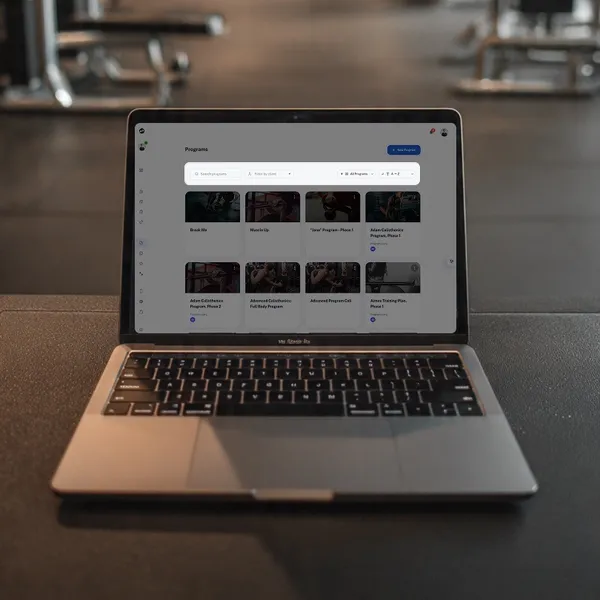
- Workout builder with drag-and-drop
- Client management tools
- Mobile-friendly web app (works on any device)
- Progress tracking and analytics
Migration:
Setup takes 30-60 minutes. Recreate your core templates, invite clients, done.
Limitations:
Newer platform than TrueCoach or Trainerize. You’ll spend time rebuilding your template library (true for any migration).
Pricing: Free forever. No credit card required.
2. TrueCoach - Premium Option
More robust than QuickCoach with deeper customization and reporting. Better for established trainers who need advanced features and have budget for software.
Cost: $696-$2,951 annually depending on client count
Trade-off: Steeper learning curve than QuickCoach’s simplicity
Makes sense for: Trainers with 30+ clients generating $5K+ monthly
3. Hevy Coach - For Strength Coaches
Specialized for strength and resistance training. Better progressive overload tracking than general platforms.
Cost: $300-$1,920 annually
Limitation: Less useful for HIIT, cardio, or functional training
Makes sense for: Trainers running exclusively strength programs
4. Trainerize - Enterprise Features
Feature-heavy platform with nutrition tracking, automated workflows, and business analytics. Opposite of QuickCoach’s simplicity.
Cost: $486-$2,160 annually
Trade-off: Complex interface with features you might never use
Makes sense for: Trainers with 50+ clients who need automation and integrations
QuickCoach Alternatives Comparison Table
| Feature | FitPros | TrueCoach | Hevy Coach | Trainerize |
|---|---|---|---|---|
| Annual Cost | Free | $696-$2,951 | $300-$1,920 | $486-$2,160 |
| Unlimited Clients | ✅ | Tier-dependent | Tier-dependent | Tier-dependent |
| Exercise Library | 1000+ | ✅ | ✅ | ✅ |
| Custom Exercises | ✅ | ✅ | ✅ | ✅ |
| Mobile App | ✅ | ✅ | ✅ | ✅ |
| Progress Analytics | ✅ | ✅ | ✅ | ✅ |
| Setup Complexity | Simple | Moderate | Simple | Complex |
| Best For | All trainers | Established | Strength focus | Large operations |
How to Migrate from QuickCoach
Don’t panic and rush. Take it step by step:
Phase 1: Data Preservation (Do This First)
Before QuickCoach goes offline:
- Export All Client Data: Download client contact information, progress metrics, and program history
- Screenshot Workout Templates: Capture your most-used programs for easy recreation
- Save Exercise Notes: Export any custom exercise descriptions or modifications
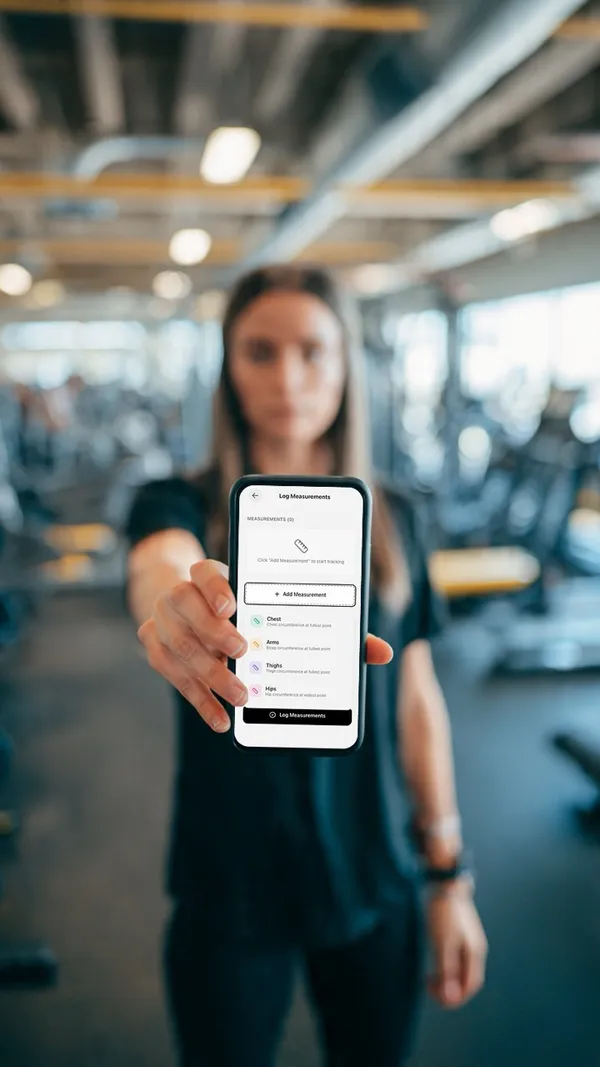
- Back Up Client Progress: Save before/after photos, measurement data, and achievement records
Phase 2: Choose Your New Platform
Evaluation Criteria:
- Budget Reality: Can you afford $300-$2,000 annually, or do you need free?
- Client Count: How many clients do you currently manage?
- Feature Needs: What did you use in QuickCoach? What was missing?
- Growth Plans: Where will you be in 12 months?
Quick Decision Framework:
- Choose FitPros if: You want free, full-featured software similar to QuickCoach
- Choose TrueCoach if: You have budget and need premium features
- Choose Hevy Coach if: You exclusively train strength athletes
- Choose Trainerize if: You’re scaling fast and need automation
Phase 3: Platform Setup (Week 1)
- Create Trainer Profile: Complete your professional information
- Build Exercise Library: Add your most-used movements (or use the platform’s library)
- Recreate Top Workout Templates: Start with your 5-10 most common programs
- Test Client Experience: Create a test client account and experience the full workflow
- Customize Branding: Add your logo, colors, and professional touches (if available)
Phase 4: Client Migration (Week 2)
Communication is Everything:
- Announcement Email/Message: Explain QuickCoach closure and your solution
- Position as Upgrade: Frame the new platform’s benefits, not just “we have to switch”
- Provide Clear Instructions: Step-by-step guide for downloading the new app and logging in
- Offer Support: Schedule time to help less tech-savvy clients transition
- Set Expectations: Tell clients exactly when the switch happens
Sample Client Message:
“Hey [Name], QuickCoach is shutting down, so I’ve found us an even better solution. I’m moving to [Platform] which gives you [specific benefits they’ll appreciate]. I’ll have your current program ready to go. All you need to do is download the app and log in. I’ll walk you through it in our next session. This is actually an upgrade because [feature they’ll value].”
Phase 5: Full Transition (Week 3-4)
- Migrate All Programs: Transfer remaining workout templates to the new platform
- Re-establish Client Routines: Ensure all clients are actively using the new app
- Monitor Adoption: Check which clients are logging workouts and using features
- Gather Feedback: Ask clients about their experience with the new platform
- Optimize Workflows: Adjust your training processes based on new platform capabilities
Why FitPros Makes Sense as a QuickCoach Replacement
FitPros works as a QuickCoach replacement for most trainers.
Free, No Catches
QuickCoach users wanted affordable software. FitPros is completely free with no client caps or feature locks.
Feature Comparison
| QuickCoach Had | FitPros Delivers |
|---|---|
| Simple workout builder | Drag-and-drop builder, even faster |
| Exercise library | 1000+ exercises + custom uploads |
| Client management | Complete client hub with better analytics |
| Mobile apps | Mobile-friendly web app (PWA) |
| Progress tracking | Deeper insights and visualization |
Why It Might Last Longer
QuickCoach’s closure shows that even popular platforms can disappear. FitPros’ free model means less financial pressure. Built by a trainer, not a tech company trying to figure out fitness.
Questions Former QuickCoach Users Are Asking
”Is FitPros really free, or are there hidden costs?”
Completely free. No client limits, no feature restrictions, no transaction fees, no forced premium tiers. The model is built to stay free long-term, not as a temporary promotion.
”Can I upload my own exercises like I could in QuickCoach?”
Yes, and it’s even easier. Upload videos, add detailed descriptions, categorize movements, and build your personal exercise library. The 1000+ built-in exercises are just the starting point.
”How long does migration actually take?”
Most trainers are fully operational within 3-4 hours:
- 30 minutes: Account setup and platform exploration
- 1-2 hours: Rebuilding your core workout templates
- 1 hour: Creating client profiles and sending invitations
- 30 minutes: Testing the client experience
”Will my clients complain about learning a new app?”
Probably some will. Any platform switch has friction. How you communicate it matters more than the app itself. If you frame it as an upgrade and walk them through it, most clients adapt quickly.
”What if FitPros shuts down too?”
Valid concern. No guarantees in software. FitPros has less financial pressure because it’s free, but anything can happen.
Always back up your workout templates and client data, regardless of what platform you use.
”Can I run my entire business on FitPros or will I need other tools?”
FitPros handles:
- Workout programming and delivery
- Client management and communication
- Progress tracking and analytics
- Exercise library (built-in + custom)
- Mobile-friendly interface
You may still want separate tools for:
- Payment processing (Stripe, PayPal, etc.)
- Scheduling (Acuity, Calendly, etc.)
- Email marketing (ConvertKit, Mailchimp, etc.)
But the core training operations run entirely on FitPros.
Your QuickCoach Exit Strategy
QuickCoach shutting down forces a decision, but it’s not a crisis. You’ve got options that didn’t exist when you first signed up.
The Smart Migration Path:
Immediate Actions (This Week):
- Export all data from QuickCoach before it goes offline
- Evaluate your actual needs vs. QuickCoach nostalgia
- Test FitPros with a free account
- Create your top 3-5 workout templates
Short-Term Strategy (Weeks 2-3):
- Communicate the change to clients professionally
- Complete full platform setup and customization
- Migrate all clients with clear instructions
- Monitor adoption and provide support
Long-Term Success (Month 2+):
- Optimize your workflows on the new platform
- Explore features that QuickCoach didn’t offer
- Gather client feedback and adjust as needed
- Document your systems for future scalability
Why FitPros Makes Sense:
Free forever beats paying $300-$2,000 annually when the features match what you need. Similar enough to QuickCoach that migration isn’t painful. You can test it completely free before committing.
Platform Dependency Is Real
QuickCoach’s closure is a reminder: your client relationships and programs matter more than any software. Always back up your data. Don’t let software dictate how you coach.
Ready to Switch?
QuickCoach served its purpose. Now you need a new home for your training business that won’t break the bank.
Try FitPros free. No credit card, no client limits, no catches. Test it, see if it works for you.
Additional Resources for Your Migration:
- How to Track Personal Training Clients Online - Complete guide to digital client management
- How to Send Workouts to Clients Online - Best practices for program delivery
- Best Free Apps for Personal Trainers - Comprehensive comparison of 2025 options
- Exercise Library - Browse FitPros’ 1000+ exercise database
- Workout Builder - See the drag-and-drop program creator in action
Questions about migrating from QuickCoach? Try FitPros free and see if it fits your needs.
Ready to apply these tips?
Use FitPros to implement these strategies with your clients. Free to get started.
Start Free Today