
The free client app for personal trainers
Your clients get a clean, fast app with HD video demos, real-time workout logging, progress photos, habit tracking, and social features. Works on iOS, Android, and Web. No download required.


How does the client app work from program to completion?
Watch how trainers and clients interact seamlessly — in real time.


What's included in the free client app?
Your clients get a professional training experience. You get real-time data without chasing anyone for updates.
Workouts with HD video demos
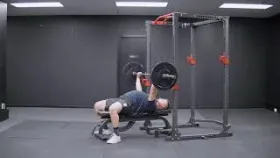
Clients open their assigned workout and see every exercise with a high-definition video demonstration from the exercise library. Tap to play, watch the form cue, then log the set. No guessing, no separate YouTube links, no confusion about which exercise is which.
Log sets, reps, and weight in real time
Clients tap to log each set as they complete it. Weight, reps, RPE, and notes sync instantly to your coach dashboard. You see exactly what they did without asking.

Progress photos and body measurements
Clients upload front, side, and back progress photos directly in the app. Body measurements (weight, waist, chest, arms, legs) are tracked over time with visual graphs. All data stays private between you and the client.
Daily habit tracking
Assign daily habits like water intake, step count, sleep, or meal prep. Clients check them off each day. You see completion rates on your dashboard without chasing clients for updates.
Notifications, comments, and likes
Clients get in-app notifications when you assign a new program or leave a comment. They can comment on workouts, like updates, and share progress with you. Everything stays inside the app so nothing gets lost in group chats or email threads.
Works on every device
The FitPros client app works on iOS, Android, and any web browser. Clients open a link, log in, and start training. No app store download required. Native-quality experience on every device.
Built-in rest timer
After completing a set, a countdown timer starts automatically. Clients customize rest periods per exercise. Haptic feedback vibrates when the timer hits zero so they can stay focused on their music or conversation without watching the clock.
Smart set suggestions
The app suggests weight and reps for each set based on the client's exercise history. Clients see what they lifted last time and can quick-fill values with a single tap. Saves time between sets and helps maintain progressive overload without a notebook.
Post-workout celebration
After finishing a workout, clients see a recap card with confetti animation. Total exercises completed, volume lifted, workout duration, current training streak, and any new personal records. All in one motivational summary that makes every session feel like an achievement.
Share workouts to activity feed
Clients can share their post-workout recap to the activity feed. Other clients and coaches can like and comment on shared workouts. It creates a community feel and social accountability that keeps clients showing up.
Exercise focus mode
Clients can isolate a single exercise to minimize distractions during heavy sets. The screen shows only the current exercise with sets, history, and rest timer. Tap anywhere to return to the full workout view when ready.
GIF reactions in comments
The activity feed supports GIF comments via Giphy integration. Coaches and clients can react to workouts with fun GIFs instead of plain text, making engagement feel natural and social. Like chatting with a friend, not using business software.
What is a client app for personal trainers?
A client app for personal trainers is the mobile or web application your clients use to follow their workout programs, log sets and reps, watch exercise video demos, track progress photos and body measurements, complete daily habits, and interact with their coach through comments, likes, and notifications. Instead of sending workout PDFs, spreadsheets, or YouTube links, trainers assign programs through their workout builder and clients see everything in one clean app.
Why your clients need a dedicated training app
- Professional experience. Clients see polished workouts with video demos and coaching cues, not messy spreadsheets or text messages.
- Accountability. Daily habits, workout logging, and progress tracking keep clients engaged between sessions without you chasing them.
- Better results. Clients who watch video demos use proper form. Clients who log sets push harder. Clients who track progress stay motivated.
- Less admin work for you. Data flows from the client app to your dashboard automatically. No more asking clients what weight they used or how the session went.
FitPros.io includes a free client app for personal trainers that works on iOS, Android, and Web. Build programs in the coach dashboard, assign them, and your clients see everything instantly. No per-client fees, no app store downloads, no setup required. Explore the full free personal training software suite or check the online coaching features.
Free client app vs paid alternatives
Most personal training platforms charge per client or lock app features behind paid tiers. FitPros.io includes everything free.
- Free client app included
- iOS, Android, and Web
- HD video demos in every workout
- Real-time set logging
- Progress photos and measurements
- Comments, likes, and notifications
- Habit tracking built in
- No per-client fees
- Client app requires paid plan
- Limited to one platform
- Video demos paywalled or missing
- Basic logging only
- Progress tracking costs extra
- No in-app comments or social features
- Habit tracking not included
- Per-client pricing adds up
See the full pricing comparison across all personal training platforms.
Client app questions
Is the client app free for my clients?
Yes. Your clients access the FitPros app at no cost. There is no charge per client, no app store purchase, and no subscription for your clients. They open a link, log in with the credentials you set up, and start training immediately.
Do clients need to download an app?
No download is required. The FitPros client app is a progressive web app (PWA) that works in any browser on iOS, Android, or desktop. Clients can optionally add it to their home screen for a native app experience, but it works perfectly in the browser too.
Can clients see exercise video demos?
Yes. Every exercise in the assigned workout includes an HD video demonstration that clients can tap to play. Written coaching cues and muscle group tags are also shown. Clients never have to guess how to perform an exercise.
How do clients log their workouts?
Clients open their assigned workout, see each exercise with sets, reps, and rest periods you programmed. They tap to log weight and reps for each set as they complete it. Data syncs to your coach dashboard in real time so you can monitor progress without asking.
Can clients track progress photos?
Yes. Clients can upload front, side, and back progress photos directly in the app. Photos are time-stamped and organized so you can compare progress over weeks and months. Body measurements (weight, waist, chest, arms, legs) are tracked alongside photos with visual graphs.
Can clients comment on workouts and interact with me?
Yes. Clients can leave comments on workouts, like updates, and share progress. You can comment back with coaching feedback. In-app notifications keep both sides in the loop without needing WhatsApp groups or email threads.
Can I brand the client app with my logo?
Custom branding (your logo, colors, and business name on the client app) is available with the Pro Tools upgrade at $29/month billed annually. The free plan uses FitPros branding but includes all features. Your clients still see your name as their coach.
How many clients can use the app?
Unlimited. There is no per-client fee and no client cap on any plan. Whether you have 5 clients or 500, every client gets full access to the app with video demos, logging, messaging, habits, and progress tracking.
Does the app work offline?
The app requires an internet connection to sync workout data, load video demos, and send messages. Clients need to be online to log sets and access their workouts. Most gyms have Wi-Fi or clients use mobile data.
What happens when I assign a program?
When you assign a workout program from your dashboard, clients see it instantly in their app. The program appears with all workouts, exercises, video demos, sets, reps, rest periods, and coach notes you programmed. Clients tap a workout to start training and logging.
Give your clients an app they'll actually use.
Free client app with HD video demos, workout logging, progress tracking, habit tracking, notifications, and social features. Unlimited clients, no per-client fees.

Want to see the client experience first? I'll walk you through it. - Sammy